End-to-end installation and demo — Control4 SR260 → Sonoff via Home Assistant
Research: replicating the pvanbaren/zha-device-handlers@control4 fork on real
hardware.
End-to-end test date: 2026-08-11.
Result: ✅ a Control4 SR260 remote drives a Sonoff ZBMINI-L2 module —
two mutually incompatible brands — with Home Assistant + ZHA + the quirks as the
only bridge, with no Control4 controller.
This document is the step-by-step record of the installation and the demo, omitting nothing: flashing the CatSniffer, port adoption, the HA container, the quirks and the protocol translation, the electrical install, the pairing, the automation (trigger + action), the files mounted on every reboot, and every obstacle with its fix.
The sibling documents (01–04) cover the code analysis, the protocol reference, the
confidence-tagged findings and the CatSniffer flashing in detail. This 05 is the
narrative of the full bring-up.
0. Executive summary
| What was tested | That the Control4 quirks (v1, monkey-patching zigpy/zha) work on physical hardware and over an EZSP radio (not only the ZNP they were developed on). |
| Chain demonstrated | Control4 red button (SR260) → proprietary C4 protocol over Zigbee → quirks translate → zha_event in HA → automation → switch.toggle → Sonoff toggles. |
| Control4 hardware | SR260 (remote) + EA-1 (controller, present but not used as a bridge). No Control4 lighting module was used. |
| Zigbee coordinator | Sonoff ZBDongle-E (EFR32MG21, EZSP/bellows). |
| Controlled device | Sonoff ZBMINI-L2 (standard Zigbee 3.0 relay, a brand incompatible with Control4). |
| Sniffer | Electronic Cats CatSniffer v3.1 (CC1352P7). |
| HA stack | Home Assistant 2026.7.1 · zha 2.0.0 · zha-quirks 2.1.0 · zigpy 2.0.0 · Python 3.13.2. |
| New findings | (1) ZHA 2.x requires the quirks flattened to the top level; (2) the SR260 provisions over EZSP just like over ZNP; (3) default_config: does not include automations.yaml — without the include, the automation never loads. |
1. Goal and scope
The control4 fork of zha-device-handlers claims it can drive Control4 Zigbee
hardware from Home Assistant without a Control4 controller. Until this session that was
validated on the bench only (no hardware): the 5 monkey-patches installed, the 7
models registered, 21 parsing tests passed. The entire "Phase 4 — Replication on HA"
block of 03-FINDINGS.md was PENDING.
The goal of this session was to close that block with real hardware and reach a cross-brand demonstration: pressing the Control4 red button turns a Sonoff on/off. It's the most demanding and most vivid case, because it forces the whole chain —radio, interception, model resolution, provisioning, button decoding, event, automation and actuation— to work together.
2. Hardware inventory
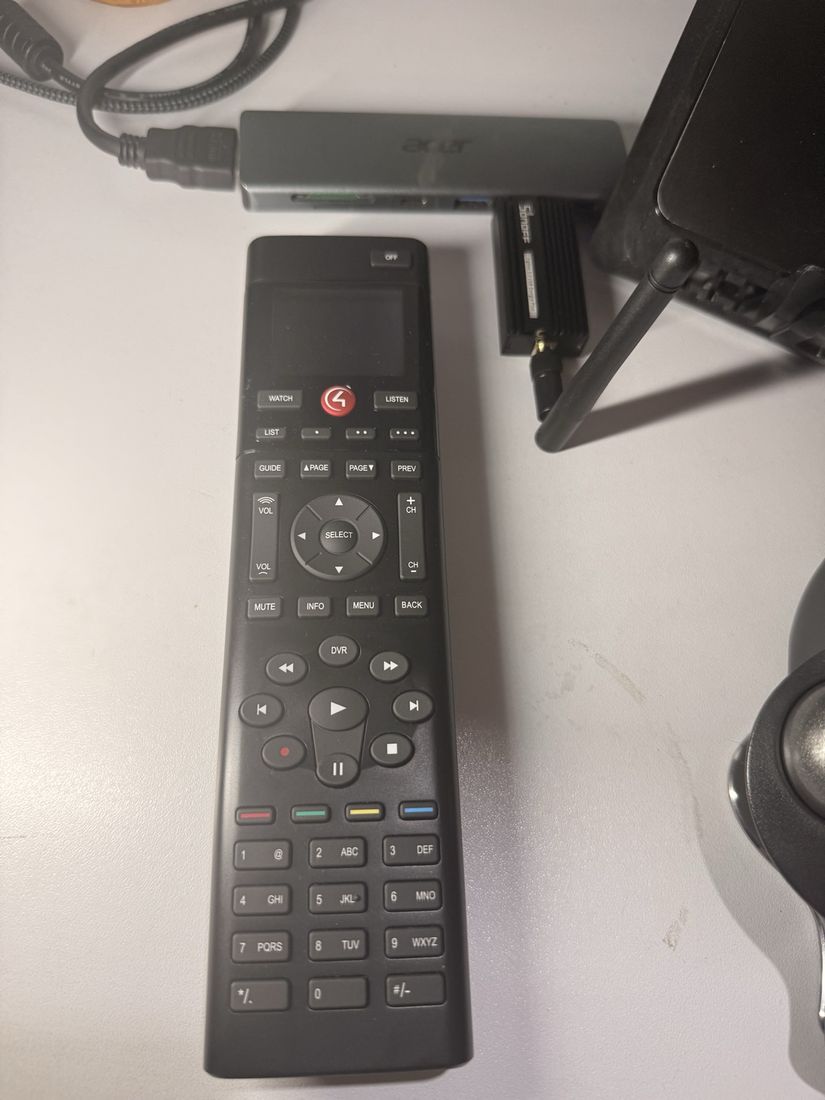
| Role | Device | Technical detail |
|---|---|---|
| Control4 remote | SR260 | IEEE 00:0f:ff:00:00:60:a7:3c (Control4 OUI 00:0f:ff). Sleepy end device. |
| Control4 controller | EA-1 | Present for reference; not used as a bridge in this demo. |
| Zigbee coordinator | Sonoff ZBDongle-E | EFR32MG21, +20 dBm, SMA antenna. EZSP radio (bellows). Factory firmware EmberZNet 6.10.3 (old). |
| Controlled device | Sonoff ZBMINI-L2 | "No-neutral" Zigbee 3.0 relay. A brand incompatible with Control4 — the control experiment. |
| Sniffer | CatSniffer v3.1 | CC1352P7 + RP2040 + SX1262. TI sniffer firmware. |
| Host | MacBook (Apple Silicon) | macOS. Docker via Colima (no USB passthrough). |
3. Bench architecture
   ┌─────────────┐   Zigbee RF 802.15.4        ┌──────────────────┐
   │ Control4    │   proprietary profile        │ Sonoff ZBDongle-E│
   │ SR260       │──────0xC25C / 0xC25D────────▶│ (coordinator,    │
   │ (red button)│   "0t.. sa c4.zr.be 02"      │  EZSP/bellows)   │
   └─────────────┘                              └────────┬─────────┘
                                                         │ USB-C (Acer hub)
                                                         ▼
                                              ┌──────────────────────┐
                                              │ Mac  ── socat bridge  │
                                              │ /dev/cu.usbserial →   │
                                              │ TCP :6638             │
                                              └──────────┬───────────┘
                                                         │ socket://host.docker.internal:6638
                                                         ▼
                        ┌───────────────────────────────────────────────┐
                        │ Home Assistant container (Colima)              │
                        │  ZHA ── bellows (EZSP)                         │
                        │   └─ custom_zha_quirks/  (15 C4 modules)       │
                        │        c4_hooks.py: 5 monkey-patches           │
                        │        ▼ translation                           │
                        │   zha_event  {endpoint_id:102, button:control4}│
                        │        ▼                                       │
                        │   automation.power_on_off_sonoff               │
                        │        ▼  switch.toggle                        │
                        └───────────────────────┬───────────────────────┘
                                                 │ standard Zigbee RF (ZCL OnOff)
                                                 ▼
                                        ┌──────────────────┐
                                        │ Sonoff ZBMINI-L2 │  💡
                                        └──────────────────┘
Key points of the topology:
- The SR260 and the ZBMINI are on the same Zigbee network, formed by the ZBDongle-E. The EA-1 does not take part in the path.
- Docker on macOS does not pass USB through (the engine runs in a VM). That's why
the radio is exposed over TCP with
socatand ZHA consumes it assocket://. - The quirks live inside the container in
custom_zha_quirks/, loaded by ZHA at startup, and monkey-patch zigpy/zha at runtime.
4. Phase 1 — CatSniffer: flashing the firmware
The CatSniffer v3.1 has three chips, which is why flashing is a two-stage process.
See 04-CATSNIFFER-FLASHING.md for the full detail; here's
the operational summary as it was executed.
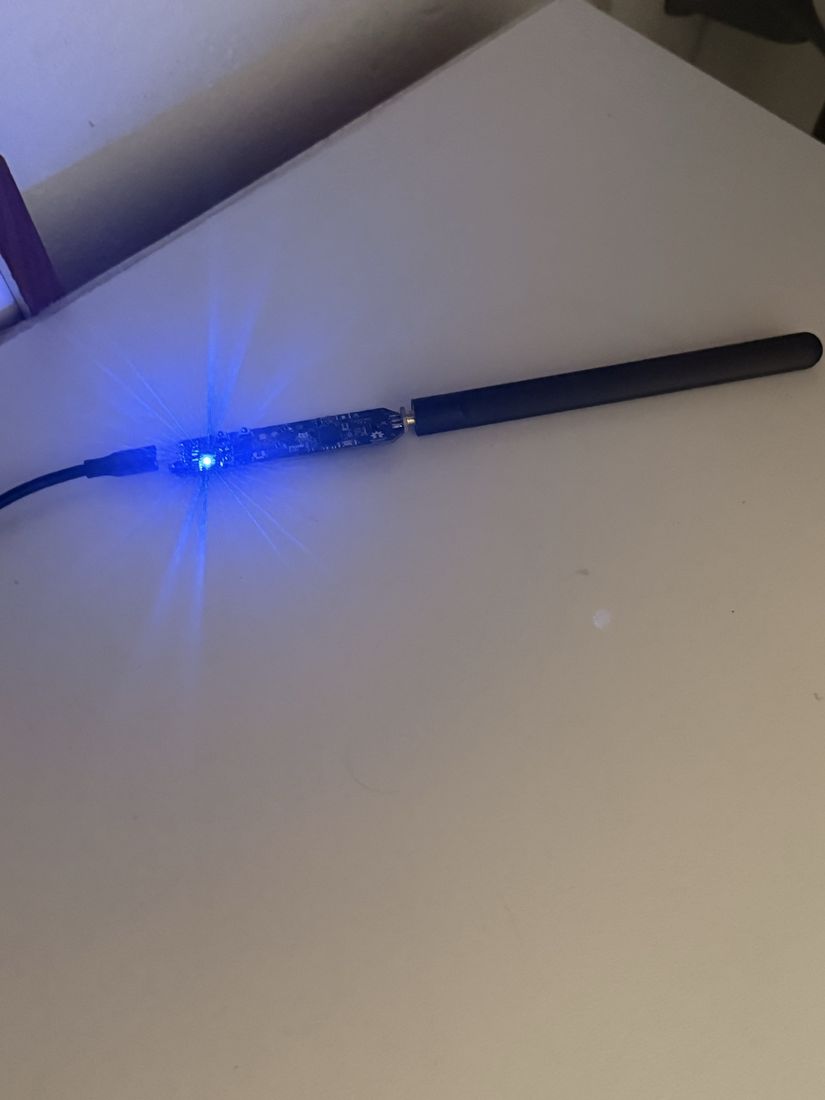
USB-C ── RP2040 ──┬── UART+JTAG ── CC1352P7 ──┐
                  │                            ├── RF switch ── SMA (2.4 GHz antenna)
                  └── SPI ──────── SX1262 ─────┘
4.1 Stage 1 — passthrough on the RP2040 (once)
The RP2040 is the host MCU; it is not the radio. It must run
SerialPassthroughwithboot, the sketch that listens for the magic string
<boot> at 921600 baud and drives the CC1352's bootloader pins itself.
- The board arrived with that sketch already (verified indirectly: flashing the CC1352
can only succeed if the RP2040 answers
<boot>), so no reflash of the RP2040 was needed. - If it had been needed: double-click
reset1→ theRPI-RP2volume mounts → copySerialPassthroughwithboot.uf2to the root.
4.2 Stage 2 — CC1352P7 firmware (per role)
The CC1352 was flashed as TI sniffer (sniffer_fw_CC1352P_7_v1.10.hex) with:
./tools/flash_cc1352.sh sniffer
which wraps Electronic Cats' catnip_uploader.
⚠️ Hard rule (obstacle #1): never call
cc2538-bsldirectly. Getting the CC1352 into its bootloader on this board is not a cc2538-bsl flag: it depends on the RP2040 passthrough sketch listening for the<boot>magic string. Hand-rolling that handshake with invented flags is how you brick the radio.catnip_uploaderruns the full sequence (open at 921600 → enter-bootloader →cc2538 -e -w -v→ exit-bootloader).⚠️ Obstacle #2 — the sniffer is a one-way door over serial. Flashing to
sniffer_fwworks; flashing away from it over serial does not (the TI build leaves the ROM bootloader backdoor closed). The only way back to coordinator firmware is via SWD, which requires a physical double-click onreset1. That's why we chose a dedicated radio (the ZBDongle-E) as the coordinator, instead of reflashing the CatSniffer back and forth.⚠️ Obstacle #3 — the flasher's success message lies.
catnip_uploader.send_firmware()doesreturn Truealways, even if thecc2538subprocess fails.tools/flash_cc1352.shwas hardened to grep forERROR:/Timeout waitingand exit with a non-zero code. Always verify with the PING (40 53 40 00 00 40 40 45at 921600 → replies with@S), not with the message.
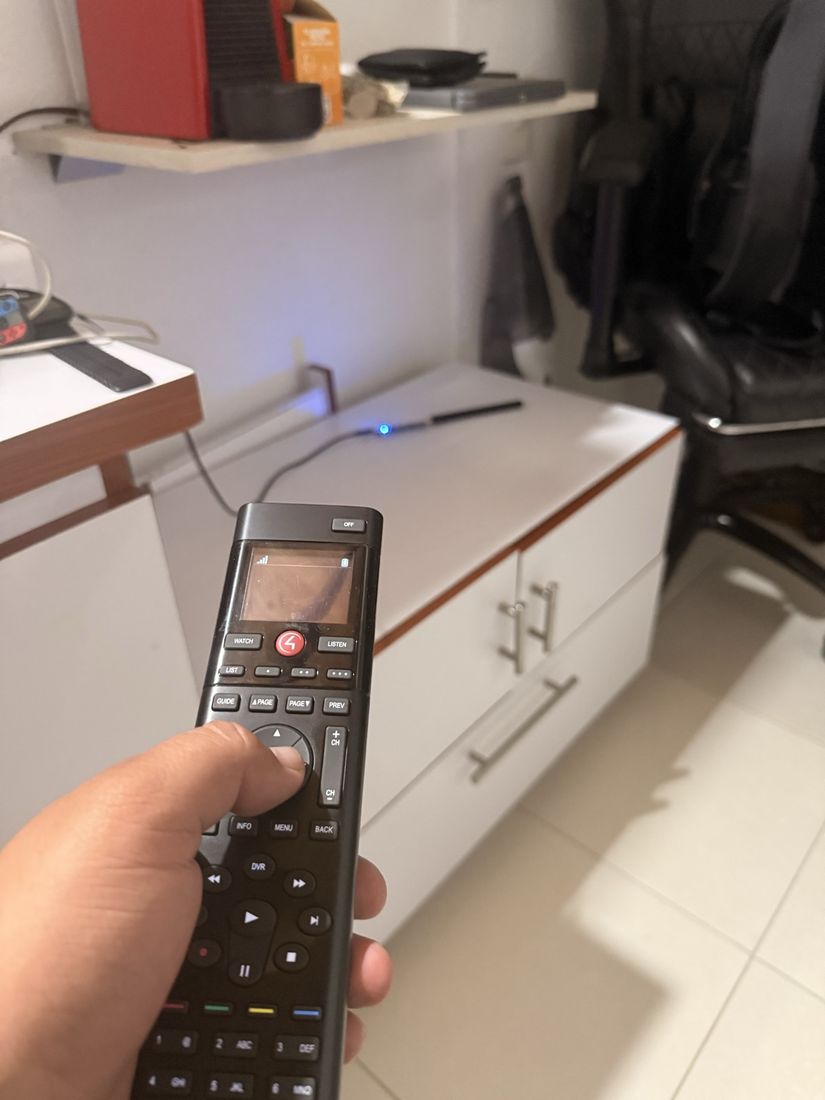
4.3 Port adoption — who owns the USB
⚠️ Obstacle #4 — Parallels steals the CatSniffer from macOS. When you plug the board in with a VM running, no
/dev/cu.*appears even though the device enumerates fine: Parallels passes it exclusively to the Windows VM (UsbExclusiveOwner = prl_vm_appinioreg). Fix: disable Parallels' auto-connect for "Arduino / RaspberryPi Pico". Port ownership rule:
| Phase | USB owner | Why |
|---|---|---|
| Flashing (CC1352) | macOS | cc2538-bsl needs the /dev/cu.* node |
| Sniffing | macOS | pycatsniffer_bv3 speaks the TI protocol directly on macOS |
| HA coordinator | macOS | the socat bridge needs the serial node |
⚠️ Obstacle #5 —
system_profiler SPUSBDataTypeis unreliable here: it returns an empty USB tree in this context, indistinguishable from "nothing plugged in". Useioreg -p IOUSB(prints IDs in decimal).
5. Phase 2 — Port adoption and the coordinator's serial bridge
The production coordinator is the ZBDongle-E, not the CatSniffer.
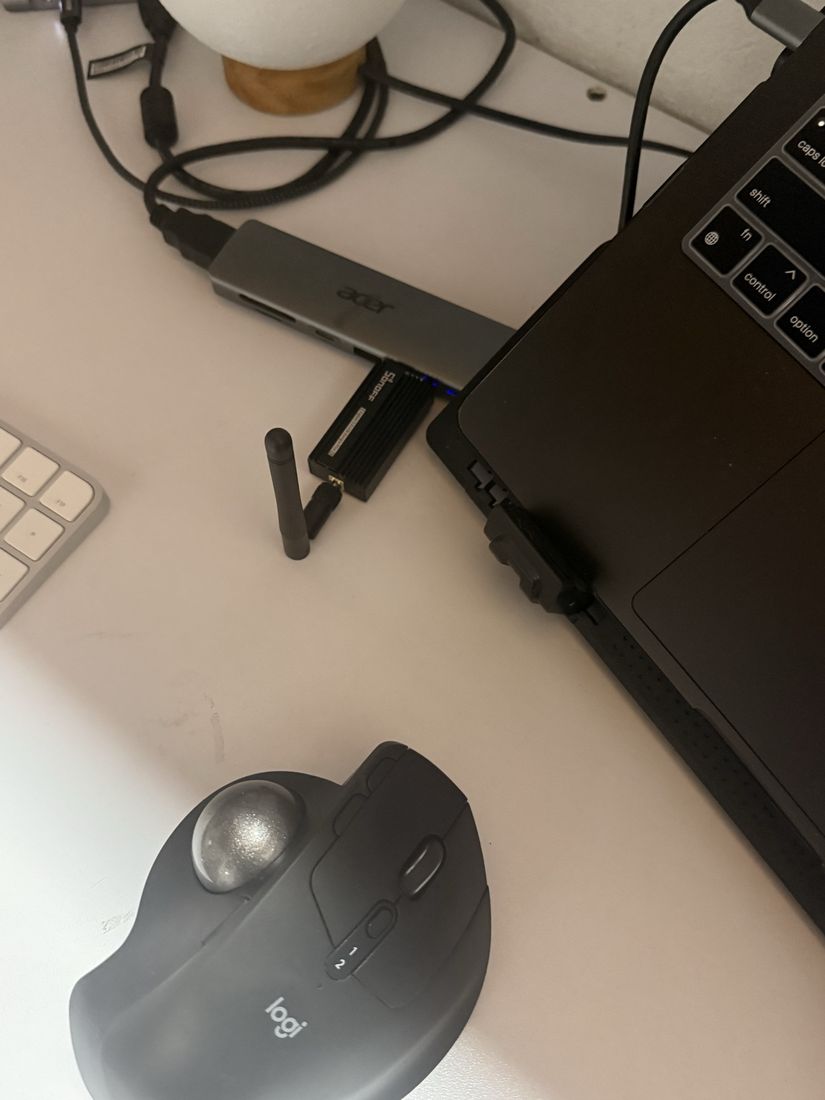
Since Docker/Colima on macOS doesn't pass USB through, the radio is exposed over TCP:
./tools/serial-bridge.sh /dev/cu.usbserial-1140
⚠️ Obstacle #6 — socat's baud syntax. This build of socat rejects
b115200. Thetools/serial-bridge.shscript was fixed to useispeed=115200,ospeed=115200,...:
socat -d -d TCP-LISTEN:6638,reuseaddr,fork,nodelay \
  FILE:/dev/cu.usbserial-1140,ispeed=115200,ospeed=115200,raw,echo=0,clocal=1,cs8,parenb=0,cstopb=0,crtscts=0
In the ZHA config flow you then use:
- Radio type: EZSP (Silicon Labs EmberZNet) — because the ZBDongle-E is EFR32MG21.
- Serial path:
socket://host.docker.internal:6638 - Baud: 115200
Why EZSP and not ZNP: the fork was developed on ZNP, but it was verified by inspection that the 5 patches live on base classes that both bellows (EZSP) and zigpy-znp inherit without override. Patch 4 (
packet_received) is onControllerApplication; Patch 2 (custom_profile_packet_received) onDevice. Conclusion validated today with hardware: they work identically on EZSP.
6. Phase 3 — Home Assistant + ZHA (container)
6.1 Runtime outside iCloud
⚠️ Obstacle #7 — the runtime state cannot live in iCloud Drive. HA keeps live SQLite databases (
zigbee.db,home-assistant_v2.db) and iCloud syncs/evicts them, corrupting them.bootstrap.shputs the runtime in~/c4lab; only the code and docs stay in the synced folder.(This same problem bit us while rendering this demo's video: writing the mp4 straight to the iCloud folder left it truncated with no
moov atom. You render to local disk and only then copy.)
6.2 Container and pinned stack
⚠️ Obstacle #8 — Docker on macOS.
brew install dockeris only the client; there is no Linux kernel. The engine came from Colima (Apache-2.0, no admin). We had to clean up Docker Desktop leftovers in~/.docker/config.json(credsStore: desktopandcurrentContext: desktop-linuxbroke everything).
docker compose up -d brings up c4lab-ha. Versions inside the container, identical
to the bench venv (which is why the offline tests exercise the same code):
| package | version |
|---|---|
| homeassistant | 2026.7.1 |
| zha | 2.0.0 |
| zha-quirks | 2.1.0 |
| zigpy | 2.0.0 |
⚠️ Do not float HA to
:stable. zigpy 2.1.0 breaks the fork (it moves the quirks v1 API intozhaquirks.legacy, which the fork doesn't have). Pin to 2026.7.x and re-runvalidate_quirks.py+ the tests on any upgrade.
6.3 configuration.yaml — how ZHA finds the quirks
default_config:

# (added this session — see §9, the include obstacle)
automation: !include automations.yaml
script: !include scripts.yaml
scene: !include scenes.yaml

zha:
  custom_quirks_path: /config/custom_zha_quirks
It was verified that zha: custom_quirks_path: is still honored in HA 2026.7 (an
open question in 01-CODE-ANALYSIS.md §8).
7. Phase 4 — The quirks and the protocol translation
7.1 What the quirks are
15 Python modules (7,733 lines) that teach ZHA to speak the Control4 dialect. The heart
is c4_hooks.py, which installs 5 monkey-patches on import:
| # | Target (patch on) | What for |
|---|---|---|
| 1 | zigpy.endpoint.Endpoint.initialize |
C4 endpoints never answer Simple_Desc_req. Injects fixed descriptors (EP 2/196/197) so the interview completes. |
| 2 | zigpy.device.Device.custom_profile_packet_received |
Catches C4-profile frames before zigpy drops them; routes them and refreshes last_seen. |
| 3 | zigpy.quirks.get_device |
Forces the specific-model quirk to win over signature matching, even with manufacturer=None. |
| 3b | ZHA 2.x DeviceRegistry.resolve() |
The path ZHA 2.x actually uses (Patch 3 alone would be dead code on 2026.7). |
| 4 | ControllerApplication.packet_received |
Intercepts broadcast C4 frames to sniff the model string of devices not yet identified. |
Every patch gates on the IEEE prefix 00:0f:ff (Control4 OUI): the quirks cannot
affect a non-Control4 device. A nice containment property.
Confirmed in today's startup log:
[c4_hooks] === C4 QUIRK FILE LOADED (multi-device) ===
[c4_hooks] C4: Installed endpoint interview patch
[c4_hooks] C4: Installed custom_profile_packet_received patch
[c4_hooks] C4: patched zigpy.quirks.get_device
[c4_hooks] C4: patched zhaquirks.ZHA_DEVICE_REGISTRY.resolve (class DeviceRegistry)
[c4_hooks] C4: Installed broadcast packet intercept patch
[zhaquirks] Loaded custom quirks.
7.2 The translation — proprietary protocol → standard event
Control4 does not use ZCL for control. It tunnels an ASCII command language over Zigbee APS on three proprietary profiles:
| Profile | Constant | Use |
|---|---|---|
0xC25C |
C4_PROFILE_BUTTON |
Button events, LCD/lists |
0xC25D |
C4_PROFILE_NETWORK |
Network announcements, model broadcast |
0xC25E |
C4_PROFILE_OUTLET |
Dual outlet (not applicable here) |
Frame format (one command per frame, CRLF, latin-1):
<type><seq> <verb> <namespace> [args...]
The SR260 red button (namespace c4.zr.*) emits in practice:
c4.zr.bb 02   → button begin (press)   button 0x02 = "control4"
c4.zr.be 02   → button end   (release) button 0x02 = "control4"
The quirks map each physical key to a virtual endpoint 100 + button_id. For the
red button (control4, id 0x02):
EP = 100 + 0x02 = 102
and emit a Home Assistant zha_event:
event_type: zha_event
data:
  device_ieee: "00:0f:ff:00:00:60:a7:3c"
  endpoint_id: 102
  cluster_id: 64578          # 0xFC42 = C4_BUTTON_CLUSTER_ID
  command: remote_button_short_release
  args: { button: control4, endpoint_id: 102 }
That is the translation: from c4.zr.be 02 (proprietary, undecipherable to HA) to a
standard zha_event that any automation can listen to. (Full table of the 50 buttons in
02-PROTOCOL-REFERENCE.md §SR260 button IDs. Gotcha:
digit_0 is 0x30, after digit_9 and star.)
7.3 New finding — ZHA 2.x requires the quirks flattened
⭐ Finding (obstacle #9, the one that cost the most). With the 15
.pyinside acontrol4/subfolder (as in the repo), ZHA 2.x loaded 0 quirks: its loader usespkgutil.walk_packages, which only scans the top level ofcustom_zha_quirks/and does not descend into subfolders without__init__.py. Diagnosis:walk_packages(path=['/config/custom_zha_quirks'])returned[].Fix: flatten — copy the 15
.pystraight intocustom_zha_quirks/(no subfolder).bootstrap.shnow flattens by default. After flattening,walk_packagessees the 15 modules andc4_hooksruns.
7.4 Model resolution and the seed
C4 devices report a useless/absent model at interview, so the fork uses a persistent
IEEE→model cache at /config/.storage/c4_quirk_data.json, populated by
_c4_sniff_model() when the device broadcasts its identity (ZCL Report Attributes, cmd
0x0A, attr 0x0007, format c4:control4_light:C4-SR260).
⚠️ Obstacle #10 — the chicken and the egg. On pairing, the SR260 only sent heartbeats (len=9), not the Report Attributes with the model. Without a model, the quirk did not apply; without the quirk applied, the device did not activate to send the model. In ZHA it appeared as
unk_model/unk_manufacturer.Fix: seed the cache by hand and restart:
json
{"00:0f:ff:00:00:60:a7:3c": "C4-SR260"}
After the seed + restart: the quirk applied → the SR260 activated → sent its Report Attributes →_c4_sniff_modelcaught it → the provisioning handshake ran ("identity sent", "MTORR sent") → the buttons started firing.
8. Phase 5 — Electrical install of the Sonoff ZBMINI-L2
The ZBMINI-L2 is the controlled device. It was installed in a real wall-switch box.
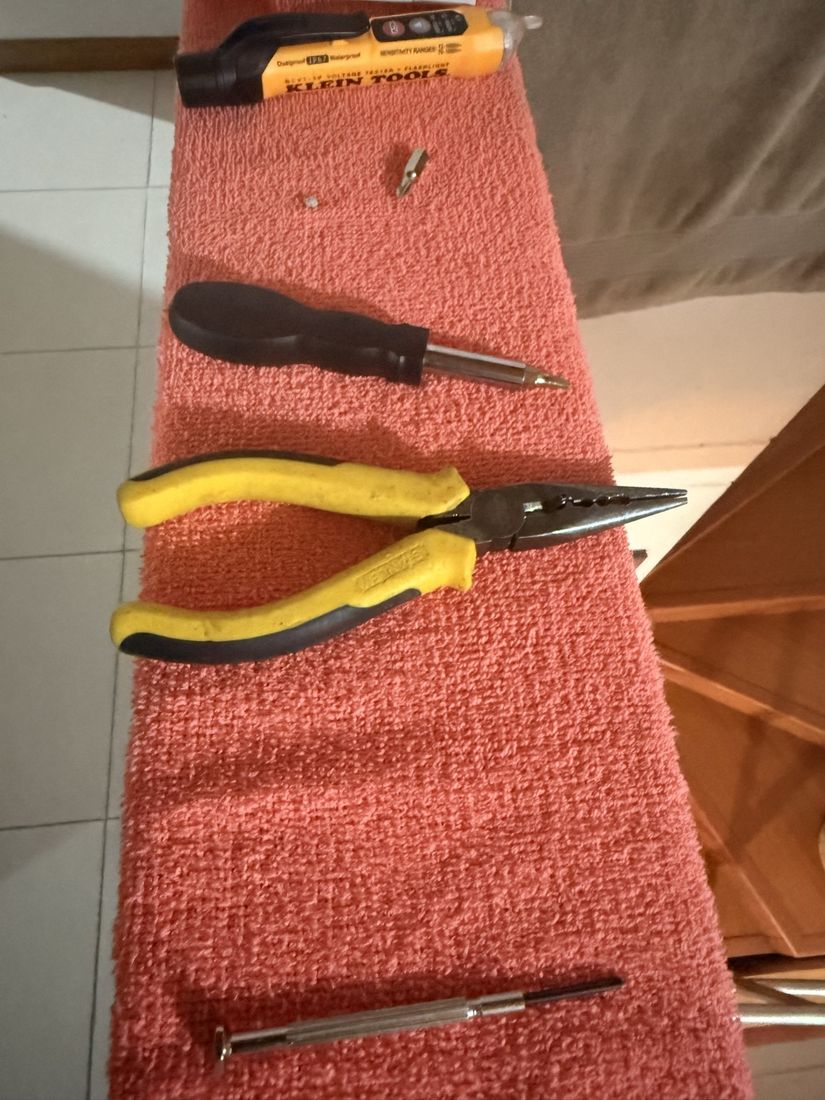
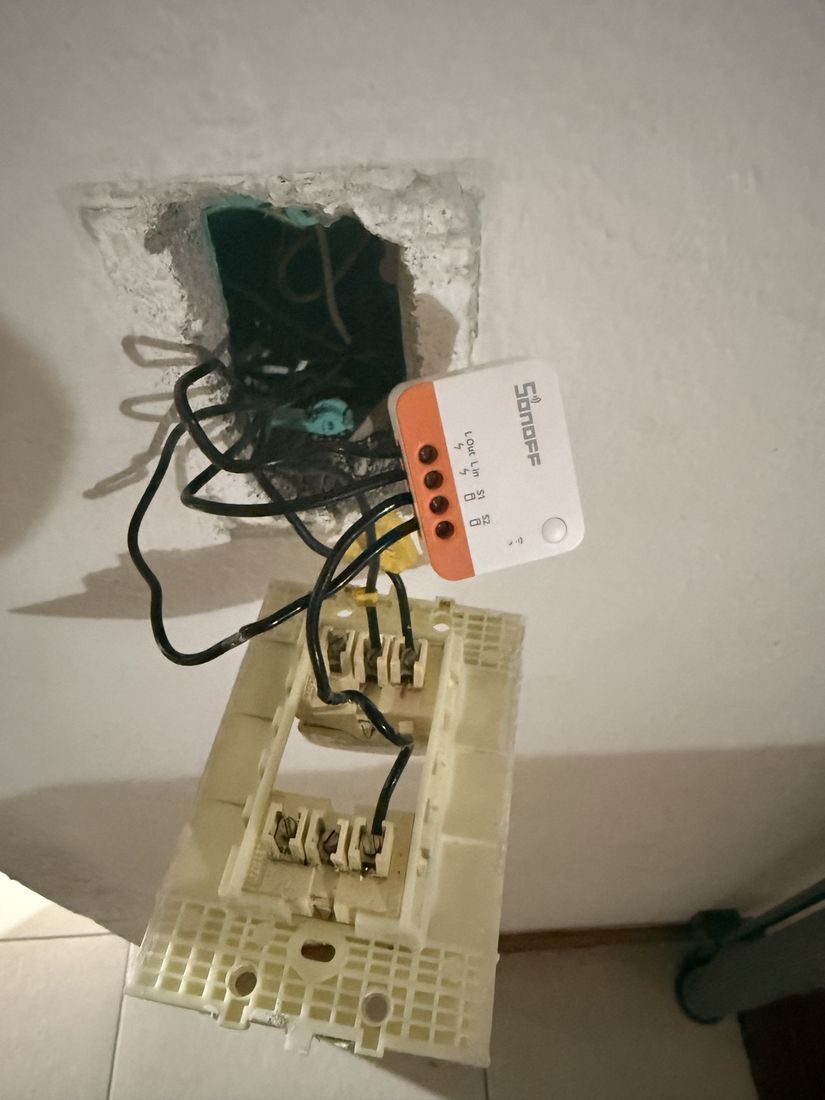
This device is deliberately the control experiment: it's standard Zigbee 3.0, no Control4 weirdness. Pairing it validates the coordinator, network formation, permit-join, ZHA entity creation and the socat/TCP bridge without the quirks in play. Rule: pair the ZBMINI before the SR260.
9. Phase 6 — Pairing in Home Assistant
Order executed: first the coordinator, then the ZBMINI (control), then the SR260.
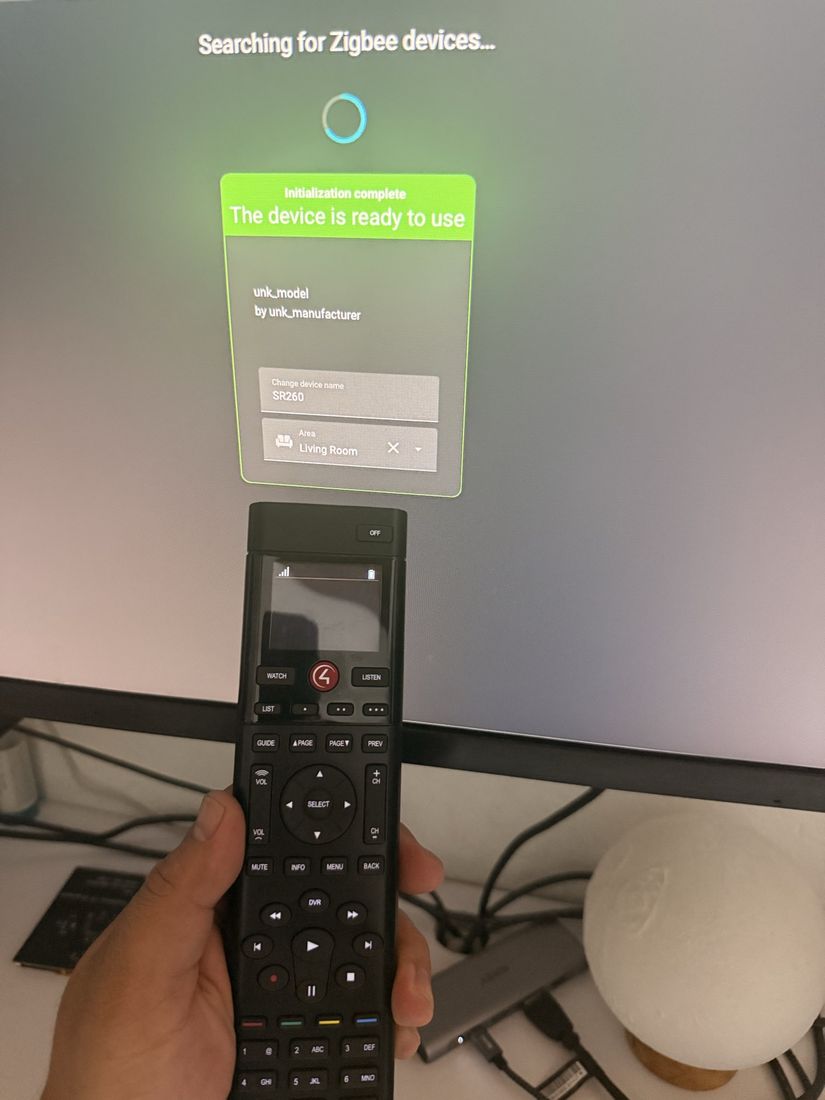
unk_model by unk_manufacturer — the
chicken-and-egg problem (§7.4) — until the seed resolves the model.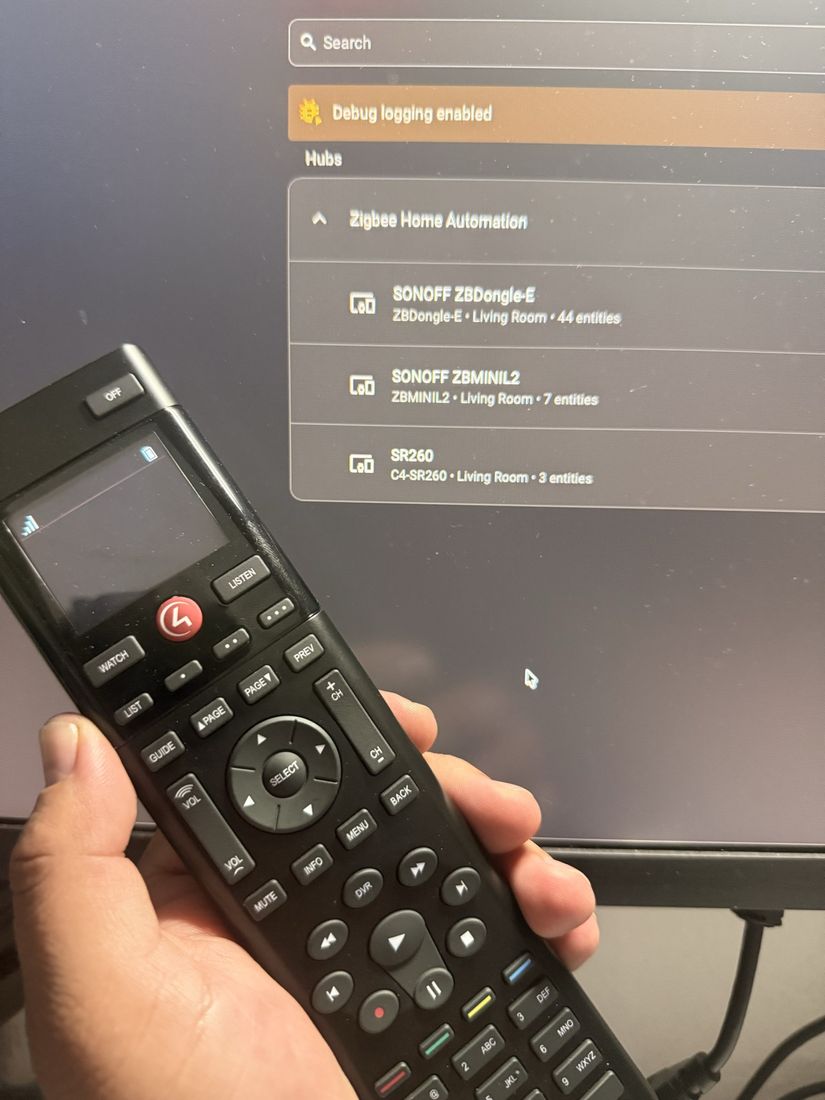
C4-SR260 by the quirk — with 3 entities.About the SR260 (sleepy device): after each HA restart it needs to wake up (press buttons) to re-announce its model and re-provision. The persistent seed makes the quirk apply at startup; the provisioning handshake runs as soon as the remote wakes.
10. Phase 7 — The automation (trigger + action)
This is where the translated event connects to a real action. There were several iterations and one important underlying bug.
10.1 The trigger
The trigger listens for the red button's zha_event. In the HA editor, the
trigger-only block (the "Button pressed / Trigger" tab) takes these 6 lines:
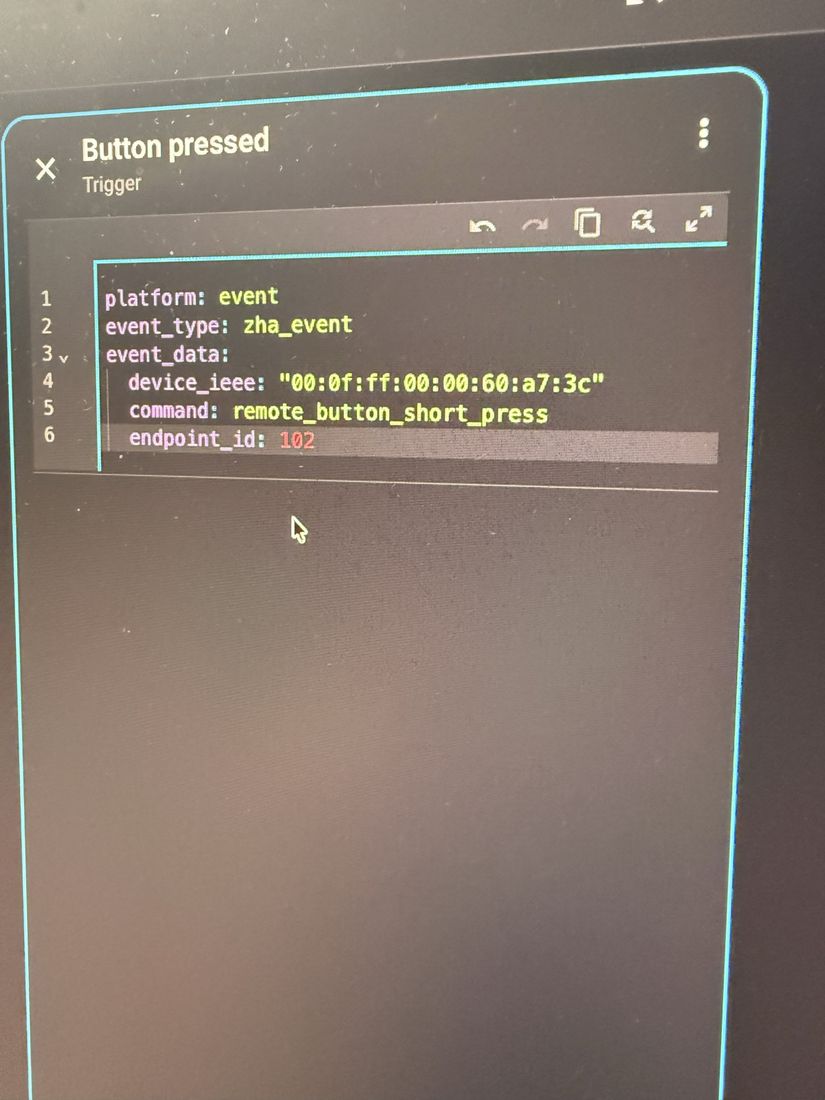
platform: event
event_type: zha_event
event_data:
  device_ieee: "00:0f:ff:00:00:60:a7:3c"
  command: remote_button_short_press
  endpoint_id: 102
10.2 The action (the "then do")
The action toggles the Sonoff:
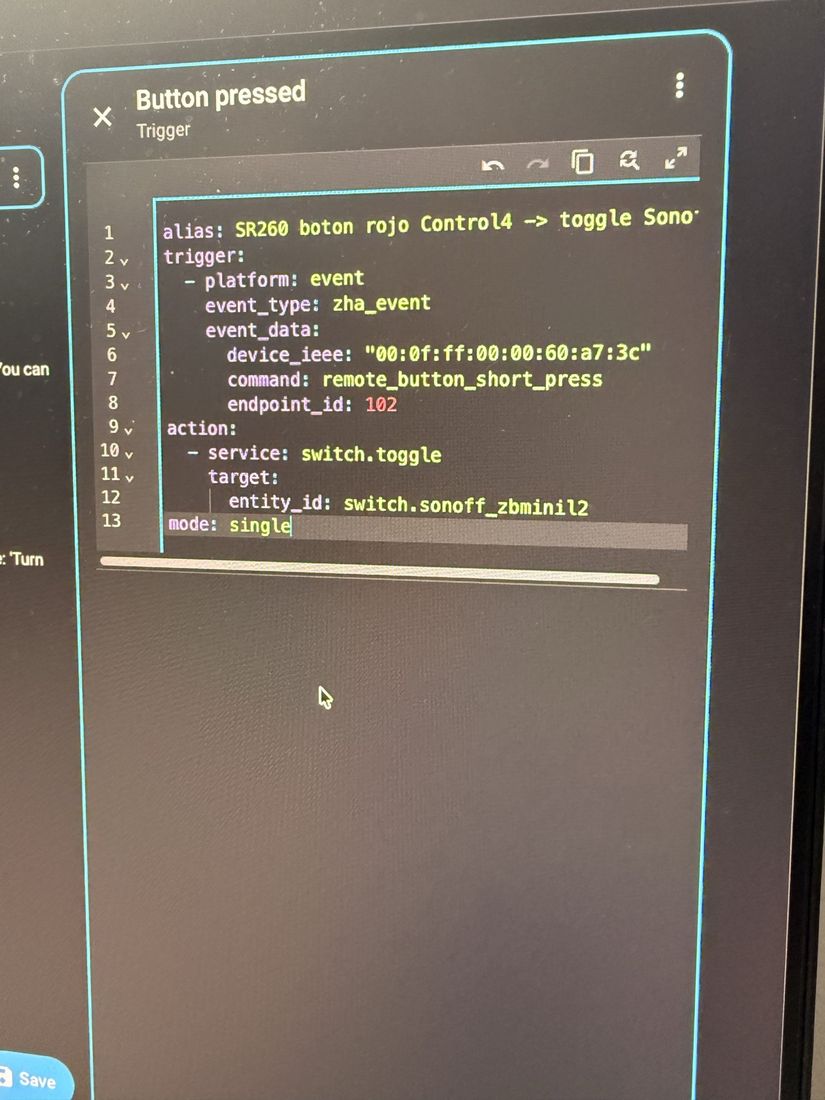
action:
  - service: switch.toggle
    target:
      entity_id: switch.sonoff_zbminil2
mode: single
10.3 Which YAML ended up working
The final file that did work — saved by the UI at
~/c4lab/ha-config/automations.yaml — uses the new schema format (triggers/actions
plural) and fires on the button release:
- id: '1786495992235'
  alias: Power ON/OFF SONOFF
  triggers:
    - trigger: event
      event_type: zha_event
      event_data:
        command: remote_button_short_release
        endpoint_id: 102
  conditions: []
  actions:
    - action: switch.toggle
      target:
        entity_id: switch.sonoff_zbminil2
  mode: single
⚠️ Obstacle #11 — YAML shape errors. Pasting the full automation into the trigger-only editor gives
expected str @ data['triggers'][0]['platform']; removing too much leavesrequired key ['trigger']. The trigger-only block takestrigger:(notplatform:in the new schema),event_typeandevent_data.⭐⭐ Obstacle #12 — the underlying bug (the one that broke everything silently):
default_config:brings up the automation component (which is why the editor works and shows "Triggered"), but does not includeautomations.yaml. Without the lineautomation: !include automations.yamlinconfiguration.yaml, the saved automation never loads as a real entity: the trigger previews in the editor but the action never runs, and the UI reports "New automation setup timed out".Fix: add the three includes (
automation/script/scene), create the emptyscripts.yaml/scenes.yaml, validate and restart. Confirmed in the log:[automation.power_on_off_sonoff] Initialized trigger Power ON/OFF SONOFFand the entityautomation.power_on_off_sonoffwent to stateon.
11. Phase 8 — End-to-end demonstration
With the automation loaded as a real entity, the red button was pressed.
The video (no audio, with subtitles) walks the full chain: the remote, the Sonoff module installed in the wall, and the reaction in Home Assistant.
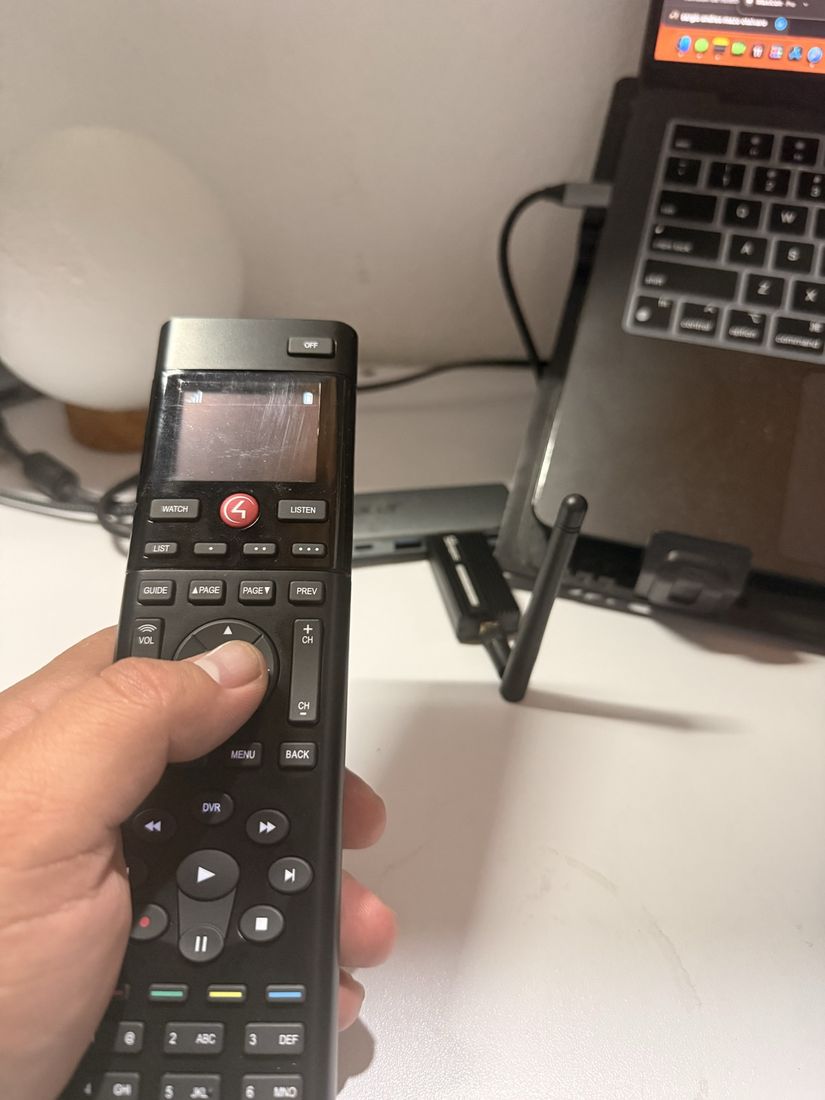
11.1 What the log showed
The trigger fired and the action ran (real trace from today):
[automation.power_on_off_sonoff] Running automation actions
[automation.power_on_off_sonoff] Executing step call service      ← the action DID run
The event that fired it, confirmed in "Triggering event detail":
endpoint_id: 102
cluster_id: 64578            # 0xFC42
command: remote_button_short_release
args: { button: control4, endpoint_id: 102 }
It matches SR260_BUTTON_MAP exactly: control4 → id 0x02 → EP 102.
11.2 The final obstacle — intermittent RF
⚠️ Obstacle #13 —
device did not respond. Of 4 presses, ~2 action runs failed withFailed to send request: device did not respond(the command leaves the coordinator but the Sonoff doesn't ACK), and several more were rejected asAlready running(withmode: single, each press stacks up while the previous one waits out the ~15 s RF timeout). Toggling from the HA panel worked, confirming the software was fine and the problem was the RF link.Likely cause: old ZBDongle-E firmware (EmberZNet 6.10.3; current builds are 7.4.x and that series has a history of weak TX) and/or distance. Immediate mitigation: retry / move the devices closer. Result: one of the presses landed and the Sonoff toggled — "it lit up". ✅
The cross-brand demo is closed: Control4 button → Sonoff, two incompatible brands talking thanks to the quirks, on real hardware.
12. Mounted files and HA restarts
Runtime structure (outside iCloud, in ~/c4lab/ha-config/) and what each restart
touches:
~/c4lab/ha-config/
├── configuration.yaml          default_config + includes + zha.custom_quirks_path + logger
├── automations.yaml            the automation (loaded via !include)
├── scripts.yaml   scenes.yaml  empty stubs ([]) that the includes require
├── custom_zha_quirks/          15 FLATTENED .py (not in a subfolder) — §7.3
│   ├── c4_hooks.py             installs the 5 monkey-patches on import
│   ├── c4_helpers.py  c4_button_cluster.py  c4_display_cluster.py …
│   └── control4_remote.py  control4_switch.py  control4_dimmer.py …
└── .storage/
    ├── c4_quirk_data.json      SEED IEEE→model: {"00:0f:ff:…:a7:3c":"C4-SR260"}
    ├── core.restore_state      states (written on shutdown; can go stale)
    └── zigbee.db               Zigbee network (live SQLite — that's why NOT in iCloud)
What happens on each HA restart:
- ZHA re-scans
custom_zha_quirks/(top level) → imports the 15 modules →c4_hooksreinstalls the 5 patches. - The seed
c4_quirk_data.jsonis read on import → the SR260 quirk can apply at startup without waiting for a new Report Attributes. - The SR260, being sleepy, re-provisions when it wakes (first presses): re-sends
the model → handshake
identity sent/MTORR sent. automation: !include automations.yamlloads the automation as an entity (Initialized trigger Power ON/OFF SONOFF).
Logging note: the level was lowered to
warningwith targeted overrides (zhaquirks,c4_hooks,c4_button_clusteratinfo;homeassistant.components.automationatinfo) to see the chain without flooding the log — the prior flood caused the false "setup timed out".
13. Consolidated obstacle log
| # | Obstacle | Fix |
|---|---|---|
| 1 | Bricking the CC1352 with cc2538-bsl directly |
Use catnip_uploader (handles the <boot> magic string) |
| 2 | Sniffer = one-way door over serial | Dedicated coordinator radio (ZBDongle-E); recovery only via SWD |
| 3 | The flasher reports success even on failure | Hardened script: grep for ERROR:/Timeout, verify with PING |
| 4 | Parallels steals the CatSniffer's USB | Disable auto-connect; owner-per-phase rule |
| 5 | system_profiler returns an empty USB tree |
Use ioreg -p IOUSB (decimal) |
| 6 | socat rejects b115200 |
ispeed=115200,ospeed=115200,... |
| 7 | Runtime in iCloud corrupts SQLite (and truncated the video) | Runtime in ~/c4lab; render to local disk then copy |
| 8 | Docker on macOS with no engine / Docker Desktop leftovers | Colima; clean ~/.docker/config.json |
| 9 | ZHA 2.x loads 0 quirks from a subfolder | Flatten the .py to the top level |
| 10 | SR260 unk_model (chicken and egg) |
Seed c4_quirk_data.json + restart |
| 11 | Trigger YAML shape errors | Trigger-only: trigger:/event_type/event_data |
| 12 | default_config: doesn't include automations.yaml |
Add automation/script/scene: !include … |
| 13 | Intermittent RF (device did not respond) |
Retry / move closer; pending: update the ZBDongle-E firmware |
14. Final state and next steps
Closed today (2026-08-11): the entire "Phase 4 — Replication on HA" that was
PENDING. The SR260 joins the network (IEEE 00:0f:ff), the quirk applies over EZSP, the
interception fires, the model resolves to C4-SR260, provisioning runs, the buttons
decode on their virtual endpoints, the zha_event comes out correct, the automation
runs and the Sonoff toggles. Cross-brand demo validated.
Pending:
- Update the ZBDongle-E firmware (EmberZNet 6.10.3 → 7.4.x) to eliminate the RF intermittency.
- Phase 3 — EA-1 ground truth: sniff the official controller driving the SR260
(requires the EA-1's network key; see
00-LAB-PLAN.md§Phase 3). - Close the rest of the SR260 claims checklist (50 event entities, battery sensor,
long_pressrepeating at ~100 ms, LCD write via cluster0xFC47,show_list/close_listmenu,motion_waketrigger).
Appendix A — Installation gallery
| Photo | What it shows |
|---|---|
| IMG_3813 | CatSniffer v3.1 powered, blue LED |
| IMG_3814 | ZBDongle-E in the USB-C hub → Mac |
| IMG_3815 | ZBMINI-L2 wired in the wall box |
| IMG_3816 | Electrical install tools |
| IMG_3817 | SR260 pairing (unk_model) |
| IMG_3818 | SR260 + ZBDongle-E + EA-1 on the desk |
| IMG_3819 | Operating the SR260 |
| IMG_3820 | CatSniffer sniffing (blue LED) during use |
| IMG_3821 | Pressing the red button next to the coordinator |
| IMG_3822 | The 3 devices in ZHA (C4-SR260 resolved) |
| IMG_3823 | Full automation (trigger + action) |
| IMG_3824 | Trigger YAML (event, endpoint 102) |
| video | Subtitled cross-brand demo (60 s) |


Appendix B — Quick reference
- SR260 IEEE:
00:0f:ff:00:00:60:a7:3c· Control4 OUI:00:0f:ff - Red button:
control4, id0x02→ virtual endpoint 102 - Button cluster:
0xFC42(64578 dec) · LCD/lists:0xFC47 - C4 profiles:
0xC25Cbutton ·0xC25Dnetwork ·0xC25Eoutlet · wire cluster0x0001 - zha_event:
command: remote_button_short_release,endpoint_id: 102 - Seed:
/config/.storage/c4_quirk_data.json→{"00:0f:ff:00:00:60:a7:3c":"C4-SR260"} - Bridge:
socket://host.docker.internal:6638(socat, 115200) - Stack: HA 2026.7.1 · zha 2.0.0 · zha-quirks 2.1.0 · zigpy 2.0.0
This is independent reverse engineering on our own hardware. It is not official Control4 / Snap One software, nor is it endorsed by them. Protocol details come from observed traffic and may be incomplete.
📄 This paper is also available as a downloadable PDF · or go back to how the protocol works.